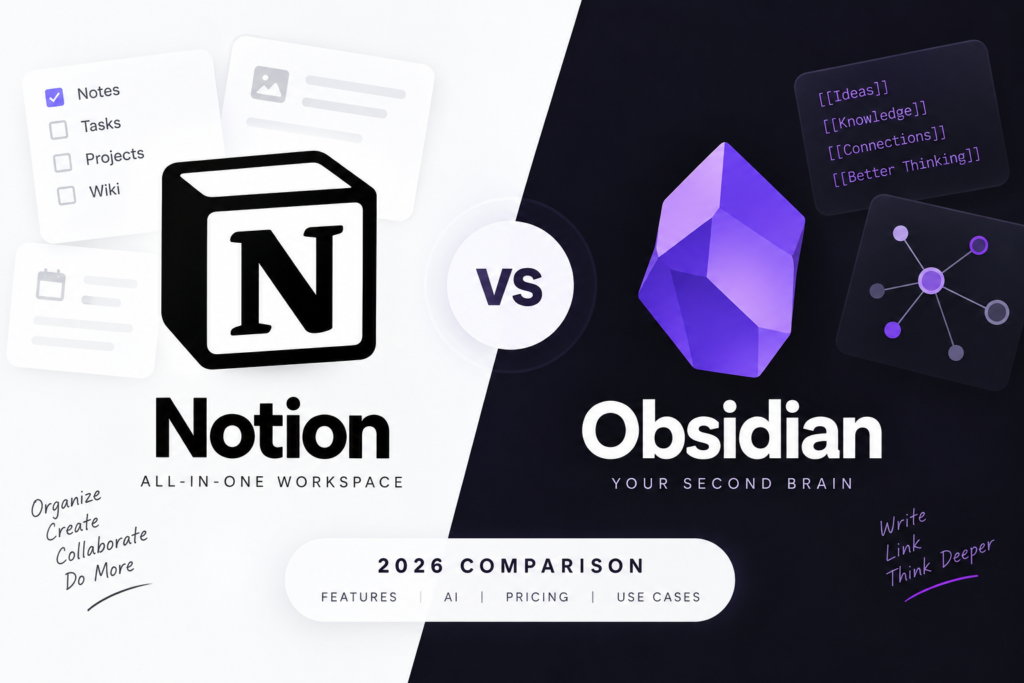
Notion vs Obsidian: Which Note-Taking App Is Better in 2026?
The note-taking app market has changed dramatically over the last few years. What started as simple digital notebooks has evolved into powerful productivity platforms capable of organizing knowledge, managing projects, automating workflows, and even assisting users with AI.
Among dozens of options available today, two names continue to dominate discussions: Notion and Obsidian.
Both applications have built loyal communities and offer impressive features, but they serve very different audiences. One focuses on collaboration and all-in-one productivity, while the other emphasizes personal knowledge management, privacy, and interconnected thinking.
If you’re trying to decide between Notion and Obsidian in 2026, this detailed comparison will help you understand which platform is best suited for your workflow.
What Is Notion?
Notion is an all-in-one productivity workspace that combines note-taking, databases, task management, document collaboration, wikis, calendars, and AI tools into a single platform.
It has become popular among students, creators, startups, and businesses because it can replace multiple productivity applications.
Whether you want to create lecture notes, manage a content calendar, build a company wiki, or track projects, Notion can handle it all.
The platform is cloud-based and designed with collaboration in mind, making it one of the most versatile productivity tools available today.
What Is Obsidian?
Obsidian is a personal knowledge management (PKM) application designed around linked thinking.
Instead of storing notes in isolated folders, Obsidian allows users to connect ideas through internal links, creating a network of knowledge that resembles a personal wiki.
Many writers, researchers, students, developers, and knowledge workers use Obsidian as a “second brain” for organizing information and uncovering connections between ideas.
Unlike Notion, Obsidian stores notes locally on your device using Markdown files, giving users complete control over their data.
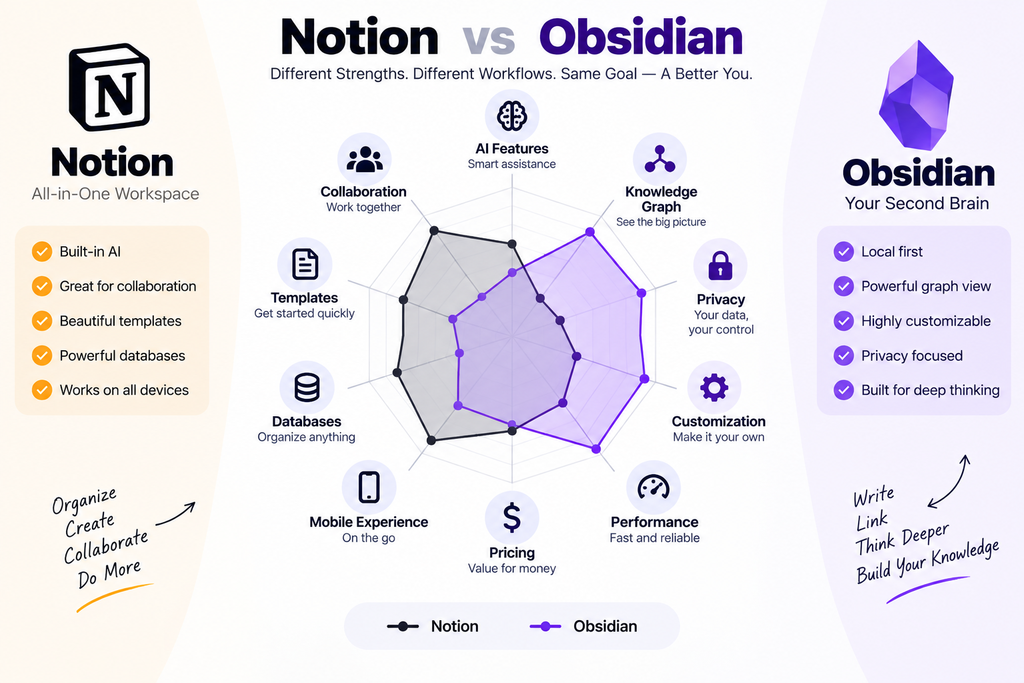
Notion vs Obsidian: Quick Comparison
| Feature | Notion | Obsidian |
|---|---|---|
| Storage | Cloud-Based | Local First |
| Collaboration | Excellent | Limited |
| AI Features | Built-In Notion AI | Plugins Required |
| Offline Access | Limited | Excellent |
| Knowledge Graph | No | Yes |
| Project Management | Excellent | Basic |
| Databases | Advanced | Limited |
| Learning Curve | Moderate | Steeper |
| Mobile Experience | Very Good | Good |
| Privacy | Cloud Storage | Local Storage |
| Best For | Teams & Productivity | Personal Knowledge Management |
User Interface and Ease of Use
One of the biggest differences between these apps becomes apparent within the first few minutes of use.
Notion
Notion offers a polished and beginner-friendly interface.
New users can start immediately using templates for:
- Class notes
- Project management
- Habit trackers
- Team wikis
- Content calendars
- Reading lists
The drag-and-drop system makes organizing information simple.
Even someone completely new to productivity tools can become comfortable with Notion relatively quickly.
Obsidian
Obsidian takes a different approach.
When you open it for the first time, you’re greeted with a blank vault and very little guidance.
This can feel intimidating for beginners.
However, experienced users often appreciate this flexibility because it allows them to build a knowledge system exactly the way they want.
The trade-off is a steeper learning curve.
Winner: Notion
For ease of use and accessibility, Notion clearly wins.
Knowledge Management and Note Linking
This is where Obsidian truly stands out.
Obsidian’s Graph View
One of Obsidian’s most powerful features is Graph View.
Instead of viewing notes as isolated documents, Graph View displays them as connected nodes.
Every linked note becomes part of a larger knowledge network.
This helps users:
- Discover relationships between topics
- Build research databases
- Connect ideas over time
- Create a true second brain
For researchers, students, writers, and academics, this feature can be incredibly valuable.
Notion’s Linking System
Notion supports linked pages and backlinks, but the experience is much more structured and database-oriented.
It works well for organizing projects and documents but lacks the visual knowledge graph that makes Obsidian unique.
Winner: Obsidian
For knowledge management and connected thinking, Obsidian remains unmatched.
Content Creation and Visual Organization
Notion
Notion excels at creating visually appealing workspaces.
Users can combine:
- Text
- Images
- Videos
- Tables
- Databases
- Embeds
- Calendars
- Kanban boards
This makes Notion ideal for managing complex projects and presenting information professionally.
Many companies even use Notion as their internal wiki.
Obsidian
Obsidian supports images and attachments but remains heavily focused on text-based note-taking.
Its Markdown editor is fast and efficient, but it doesn’t offer the same visual flexibility as Notion.
Winner: Notion
For creating attractive and multimedia-rich workspaces, Notion is the better choice.
Offline Access and Data Ownership
This category highlights one of the biggest philosophical differences between the two platforms.
Obsidian
Obsidian stores notes directly on your device.
Benefits include:
- Full ownership of your data
- Offline access anytime
- Faster performance
- Better privacy
- Long-term portability
Even if Obsidian disappeared tomorrow, your Markdown files would remain accessible.
Notion
Notion relies primarily on cloud storage.
While offline support has improved significantly, the experience still depends heavily on internet connectivity.
The advantage is automatic syncing across devices without additional setup.
Winner: Obsidian
Privacy-conscious users and offline workers will likely prefer Obsidian.
Collaboration Features
If teamwork matters, this category is important.
Notion
Collaboration is one of Notion’s biggest strengths.
Users can:
- Share pages instantly
- Edit documents together
- Leave comments
- Assign tasks
- Manage teams
For startups, agencies, and remote teams, Notion is often the preferred solution.
Obsidian
Obsidian was designed primarily for individual use.
While sync solutions exist, real-time collaboration is not a core feature.
Winner: Notion
Notion is significantly better for collaboration.
AI Features
AI has become a major factor when choosing productivity software.
Notion AI
Notion AI is deeply integrated into the platform.
It can help users:
- Summarize notes
- Generate content
- Brainstorm ideas
- Create action items
- Improve writing
- Search information across workspaces
This makes Notion especially appealing for professionals and students.
Obsidian AI
Obsidian does not include native AI features.
However, users can install plugins that connect with AI models such as ChatGPT, Claude, or Gemini.
This provides flexibility but requires additional setup.
Winner: Notion
For built-in AI capabilities, Notion has the advantage.
Customization and Plugins
Obsidian
Customization is where Obsidian becomes incredibly powerful.
The community has created thousands of plugins that add:
- Calendars
- Kanban boards
- Flashcards
- AI integrations
- Task management
- Mind maps
- Advanced search tools
Users can also completely redesign the interface using themes.
Notion
Notion is flexible, but customization mostly revolves around templates, databases, and workspace design.
It doesn’t offer the same level of extensibility as Obsidian.
Winner: Obsidian
Power users will appreciate Obsidian’s endless customization options.
Mobile Experience
Notion
Notion’s mobile application feels polished and optimized.
It works well for:
- Reading notes
- Updating projects
- Quick edits
- Task management
Obsidian
Obsidian’s mobile app provides nearly all desktop features, but the interface can feel more complex on smaller screens.
Winner: Notion
For casual mobile use, Notion offers the smoother experience.
Performance and Speed
Obsidian
Because everything runs locally, Obsidian feels extremely fast.
Even large knowledge bases remain responsive.
Searches are instant, and opening notes is nearly immediate.
Notion
Performance has improved dramatically, but very large workspaces can still feel slower than Obsidian.
Winner: Obsidian
Speed is one of Obsidian’s biggest advantages.
Pricing Comparison
Obsidian
- Personal Use: Free
- Sync: Paid Add-On
- Publish: Paid Add-On
Most individual users can comfortably use Obsidian without spending anything.
Notion
- Free Plan Available
- Plus Plan Available
- Business Plans Available
- Notion AI Requires Additional Cost
The free plan is generous, but advanced features may require a subscription.
Winner: Tie
Both offer excellent value depending on your needs.
Which App Is Better for Students?
Choose Notion If You:
- Want an all-in-one workspace
- Need collaboration features
- Prefer visual organization
- Use AI regularly
- Want ready-made templates
Choose Obsidian If You:
- Take extensive research notes
- Want a second brain system
- Need offline access
- Value privacy
- Enjoy customization
For most students, Notion provides a faster learning curve and better productivity features.
For advanced learners, researchers, and knowledge workers, Obsidian offers more long-term benefits.
Final Verdict
The Notion vs Obsidian debate doesn’t have a universal winner because both tools excel in different areas.
Notion is the better choice for users seeking an all-in-one productivity platform with collaboration tools, databases, templates, and built-in AI features.
Obsidian is the stronger option for users focused on personal knowledge management, linked thinking, privacy, and long-term knowledge retention.
If your goal is managing projects, collaborating with others, and using AI-powered productivity features, Notion is likely the better fit.
If you want to build a personal knowledge base that grows with you over time and remains fully under your control, Obsidian remains one of the best note-taking applications available in 2026.
Many power users ultimately end up using both: Notion for project management and collaboration, and Obsidian as their personal second brain. That combination provides the best of both worlds and continues to be a popular workflow among students, creators, and professionals alike.