Best AI Note Taking Apps for Students in 2026 (Compared & Reviewed)
Taking notes in 2026 is no longer just about typing text into a document and hoping you can find it later. Artificial intelligence has completely changed how students capture, organize, and review information. Today’s best AI note taking apps can summarize lectures, generate flashcards, organize notes automatically, answer questions about your study material, and even help prepare for exams.
For students, this means spending less time organizing notes and more time actually learning. Whether you’re in high school, college, medical school, or preparing for professional certifications, choosing the right note taking app can make a huge difference.
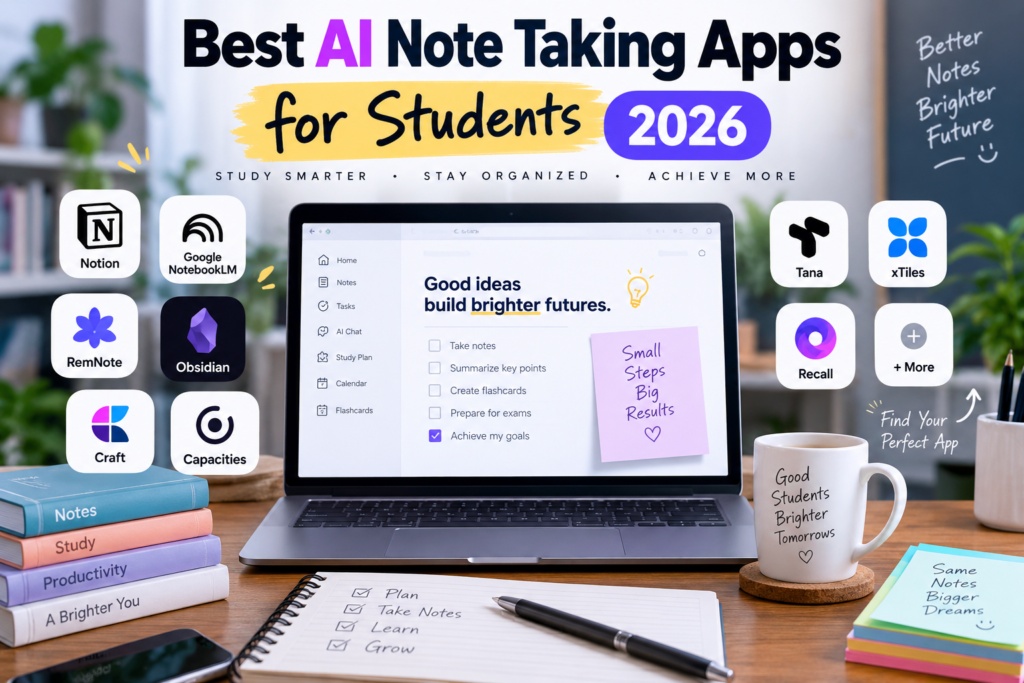
After researching the latest AI-powered note taking tools and comparing their features, here are the best AI note taking apps for students in 2026.
Why AI Note Taking Apps Matter in 2026
Traditional note taking apps required users to manually create folders, sort notes, and search through hundreds of pages when they needed information.
Modern AI note taking apps work differently.
Instead of forcing students to organize everything manually, AI can:
- Summarize lengthy lecture notes
- Generate study guides automatically
- Create flashcards from class material
- Organize notes intelligently
- Answer questions based on your notes
- Extract action items and tasks
- Convert voice recordings into searchable text
- Help review material before exams
For students juggling multiple subjects, assignments, and deadlines, these features can save hours every week.
What Makes a Great AI Note Taking App?
Not every AI note taking app is worth using.
The best options combine:
- Easy note capture
- Smart organization
- Fast search capabilities
- AI-powered summaries
- Cross-platform support
- Student-friendly pricing
- Reliable syncing
- Strong privacy features
Let’s look at the top options available today.
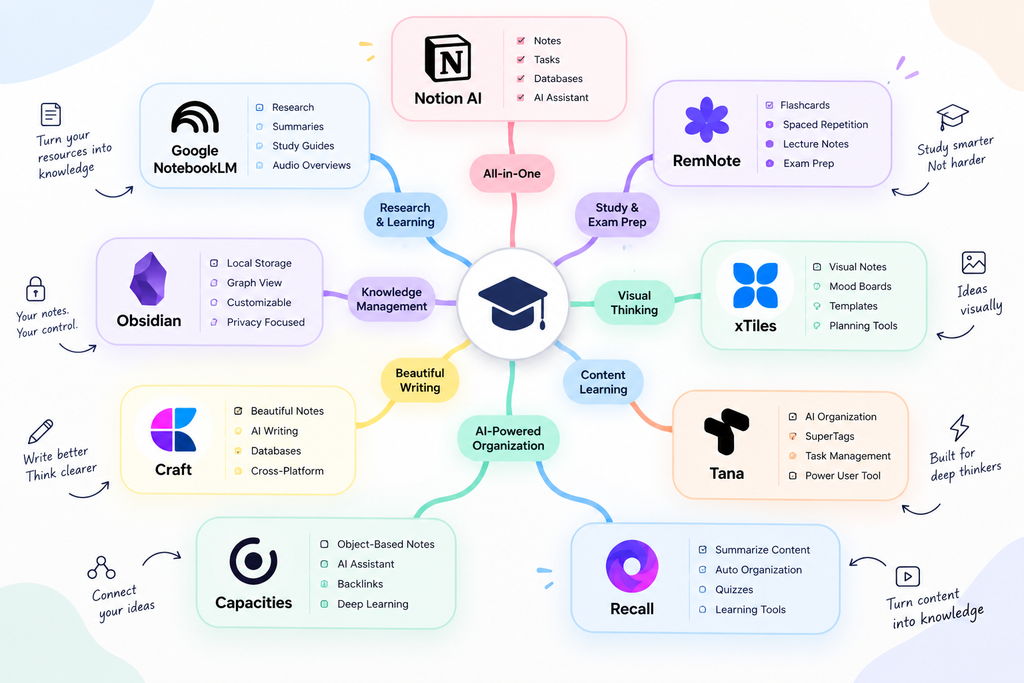
1. Notion AI
Best For: Students Who Want an All-in-One Workspace
Notion has evolved from a simple note-taking app into one of the most powerful productivity platforms available.
The biggest advantage of Notion AI is how it combines notes, databases, task management, and AI assistance inside a single workspace.
Students can create lecture notes, organize assignments, track deadlines, and use AI to summarize information without leaving the app.
Key Features
- AI writing assistant
- Automatic note summaries
- AI-powered search
- Databases and knowledge management
- Collaboration tools
- Offline support
- Meeting and lecture notes
Pros
✔ Excellent organization tools
✔ Powerful AI assistant
✔ Great for group projects
✔ Highly customizable
Cons
✘ Can feel overwhelming for beginners
✘ Advanced features require learning
Rating
4.8/5
2. Google NotebookLM
Best For: Research and Studying
Google NotebookLM is arguably one of the most exciting AI note taking tools available in 2026.
Instead of simply storing notes, NotebookLM allows students to upload documents, PDFs, research papers, lecture notes, websites, and presentations into a single notebook.
The AI then becomes a research assistant capable of answering questions about all your uploaded content.
One of its most unique features is the ability to generate AI podcasts and study guides from your materials.
Key Features
- AI-powered research assistant
- PDF analysis
- Study guide generation
- Audio overviews
- Presentation creation
- Source-based responses
Pros
✔ Excellent for research
✔ Very easy to use
✔ Strong AI capabilities
✔ Free plan available
Cons
✘ Not ideal for traditional note management
✘ Works best with uploaded sources
Rating
4.9/5
3. Tana
Best For: Power Users
Tana is designed for students who want AI-driven knowledge management.
Unlike traditional note-taking apps, Tana uses a system called SuperTags that automatically structures information as you capture it.
Students can create notes, voice memos, tasks, and research databases without spending hours organizing everything manually.
Key Features
- AI-first design
- SuperTags system
- Voice capture
- Automatic organization
- Task management
- Knowledge graph
Pros
✔ Extremely powerful
✔ AI automation is impressive
✔ Great for advanced users
Cons
✘ Learning curve
✘ Not beginner-friendly
Rating
4.7/5
4. Capacities
Best For: Personal Knowledge Management
Capacities introduces object-based note taking.
Instead of creating isolated notes, every piece of information becomes an object that can be connected to other information.
Students can create relationships between classes, projects, topics, and research materials.
Its AI tools help summarize, draft, and answer questions based on stored knowledge.
Key Features
- Object-based notes
- Graph view
- Daily notes
- AI assistant
- Backlinks
- API support
Pros
✔ Excellent for deep learning
✔ Modern interface
✔ Strong knowledge management
Cons
✘ Requires setup time
✘ Can be complex
Rating
4.7/5
5. RemNote
Best For: Students Preparing for Exams
If your primary goal is learning and retention, RemNote is one of the strongest options available.
Unlike most note taking apps, RemNote combines note-taking with spaced repetition and flashcards.
This means every lecture note can become study material automatically.
Medical students, law students, engineering students, and exam candidates particularly benefit from RemNote’s learning-focused approach.
Key Features
- Flashcard generation
- Spaced repetition
- PDF integration
- AI study tools
- Lecture notes
- Image flashcards
Pros
✔ Excellent for memorization
✔ Designed specifically for students
✔ Strong exam preparation tools
✔ Affordable pricing
Cons
✘ Interface may feel different initially
Rating
4.8/5
6. xTiles
Best For: Visual Learners
Some students think visually rather than linearly.
xTiles combines note taking with mood boards, visual planning, and creative organization.
Instead of endless folders and documents, students can arrange information visually using tiles and dashboards.
Key Features
- Visual workspace
- Mood boards
- Planning dashboards
- Templates
- Calendar integration
Pros
✔ Beautiful interface
✔ Great for visual thinkers
✔ Easy project planning
Cons
✘ Less powerful AI than competitors
Rating
4.6/5
7. Recall
Best For: Learning From Content
Recall is perfect for students who consume large amounts of content.
Whether you’re watching YouTube lectures, listening to podcasts, reading articles, or researching online, Recall captures and organizes information automatically.
Its AI then helps generate summaries, quizzes, and learning materials.
Key Features
- Content summarization
- AI organization
- Quiz generation
- Learning reinforcement
- Knowledge retention tools
Pros
✔ Great for online learners
✔ Strong summarization features
✔ Excellent content management
Cons
✘ Less traditional note taking
Rating
4.6/5
8. Obsidian
Best For: Privacy and Advanced Knowledge Management
Obsidian remains one of the most respected note-taking platforms available.
Unlike cloud-first apps, Obsidian stores notes locally on your device.
Students who value privacy and ownership of their data often prefer Obsidian.
Recent AI integrations have made it significantly more powerful than before.
Key Features
- Local note storage
- Graph view
- Canvas workspace
- Plugin ecosystem
- AI integrations
- Markdown support
Pros
✔ Maximum privacy
✔ Extremely customizable
✔ Powerful knowledge graphs
✔ Large community
Cons
✘ Steeper learning curve
Rating
4.9/5
9. Craft
Best For: Beautiful Notes and Writing
Craft combines elegant design with increasingly powerful AI capabilities.
Students who spend significant time writing essays, reports, and projects often appreciate Craft’s polished experience.
The platform now includes AI agents, databases, and advanced document creation tools.
Key Features
- AI writing assistant
- Beautiful document creation
- Databases
- Tables
- Collaboration tools
- Cross-platform support
Pros
✔ Outstanding design
✔ Easy to use
✔ Great writing experience
Cons
✘ Less advanced knowledge management
Rating
4.7/5
Comparison Table
| App | Best For | AI Features | Free Plan |
|---|---|---|---|
| Notion AI | Productivity & Organization | Excellent | Yes |
| NotebookLM | Research & Study | Excellent | Yes |
| Tana | Power Users | Excellent | Limited |
| Capacities | Knowledge Management | Very Good | Yes |
| RemNote | Exam Preparation | Excellent | Yes |
| xTiles | Visual Learning | Good | Yes |
| Recall | Content Learning | Excellent | Trial |
| Obsidian | Privacy & PKM | Very Good | Yes |
| Craft | Writing & Notes | Very Good | Yes |
Which AI Note Taking App Should You Choose?
Choose Notion AI if you want an all-in-one productivity system.
Choose NotebookLM if you regularly work with PDFs, research papers, and lecture materials.
Choose RemNote if exam preparation is your top priority.
Choose Obsidian if privacy and local storage matter most.
Choose Capacities if you enjoy building a personal knowledge management system.
Choose Craft if you value beautiful writing and clean design.
Choose Recall if you learn mostly through videos, podcasts, and online content.
Choose xTiles if visual organization helps you study more effectively.
Final Verdict
AI is transforming note taking faster than most students realize. What used to require folders, manual organization, and endless searching can now be handled automatically by intelligent systems.
For most students in 2026, Google NotebookLM and RemNote offer the best balance of AI capabilities and practical learning benefits. NotebookLM excels at understanding information, while RemNote excels at helping you remember it.
If you want the most complete productivity solution, Notion AI remains one of the strongest options available.
The good news is that most of these apps offer free plans, so you can experiment before committing. The best note-taking app is ultimately the one that fits your study style and helps you spend less time organizing information and more time learning it.